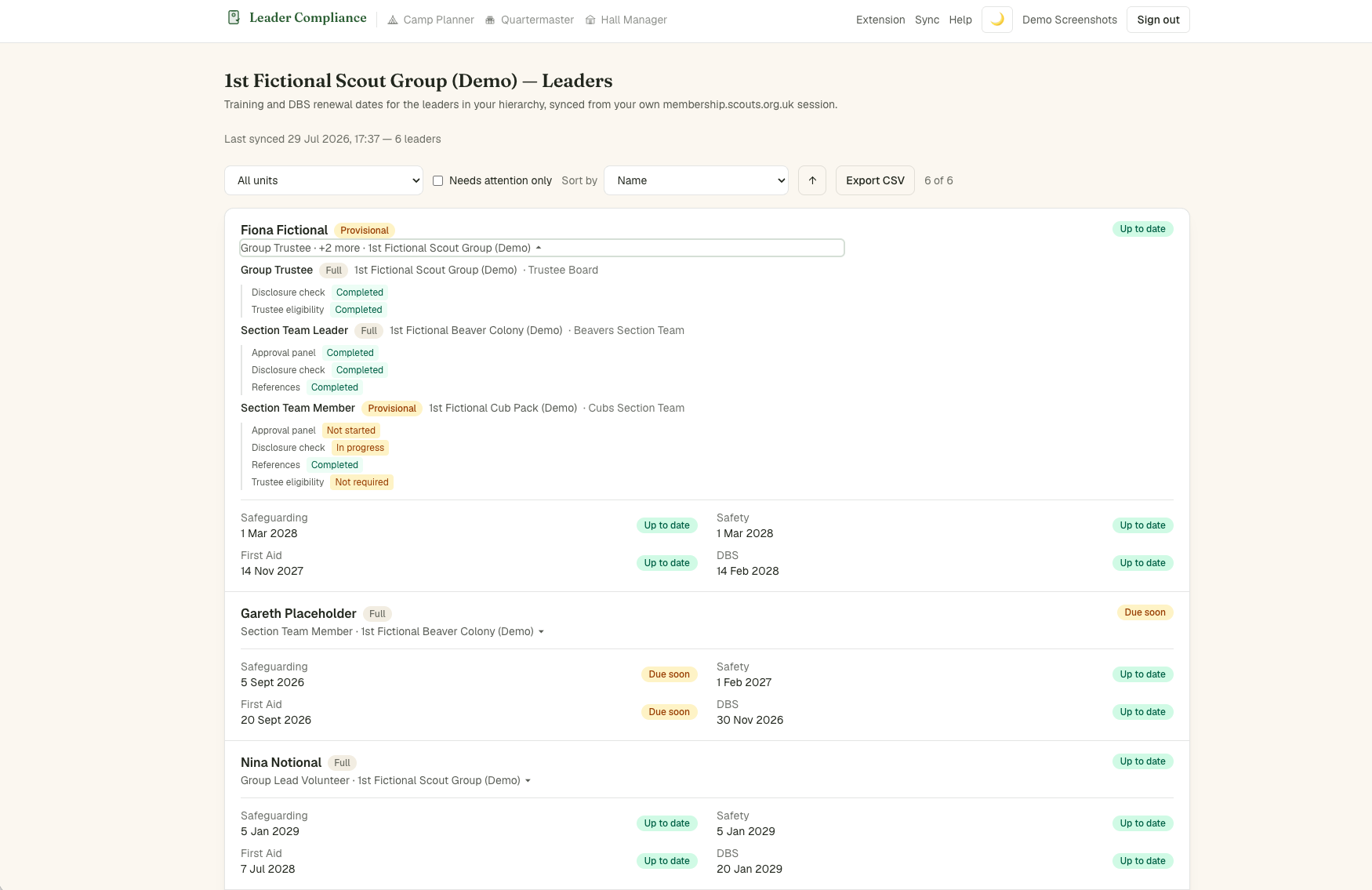
Reading the dashboard
Each leader gets an overall red/amber/green badge, rolled up from their individual training modules and DBS status. Red means something's overdue or missing entirely; amber means due within 60 days; green means up to date. A training module with no expiry date (some are one-off, never needing renewal) is shown as permanently green rather than a gap. Filter by unit, or tick Needs attention only to see just red/amber leaders. You'll also get an email automatically if anyone in your synced hierarchy turns amber or red, so you don't have to keep checking back.
Each leader’s Scouts membership number is shown in small text beside their name, and in its own column in the CSV export. It comes from your leader sync, so if a number is missing, update the browser extension to version 0.16.0 or later and sync again.